The default search functionality in WordPress often falls short, missing out on key site content like product listings, comments, media files, and more.
Fortunately, there are powerful WordPress plugins available that can significantly enhance your site’s search capabilities. Some are tailored for specific use cases such as WooCommerce product searches, while others deliver broader improvements across blogs, portfolios, or business websites.
We’ve personally implemented SearchWP across multiple partner sites and have seen a noticeable improvement in overall search experience and user engagement. While this tool has worked well for us, every website has different needs, so the best plugin for your site might vary.
To find the most effective solution, we tested several leading WordPress search plugins and evaluated them based on usability, features, and performance. This allowed us to better understand their pros and cons in real-world scenarios.
In this post, we’ll walk you through the top WordPress search plugins you can use to enhance your site’s search function and deliver a better experience for your visitors.
How We Test and Review WordPress Search Plugins
To ensure we recommend only the most effective tools, we personally installed and tested the most widely used WordPress search plugins on live websites. Our evaluation was based on the following key factors:
- Ease of Use: We looked for plugins with straightforward installation, simple configuration, and an intuitive interface. Our goal was to highlight tools that beginners can use without needing technical expertise.
- Performance Impact: We measured how each plugin affected site performance particularly in terms of loading speed and overall responsiveness.
- Search Relevance: Each tool was put to the test to see how well it could return accurate and meaningful search results. We evaluated performance across various content types, including blog posts, pages, media files, and custom post types.
- Reliability: Only plugins that consistently performed well during real-world testing made our list. We also reviewed community feedback and user ratings to identify any recurring issues or limitations.
With that in mind, here’s our curated list of the top WordPress search plugins worth considering for enhancing your site’s search experience:
1. SearchWP

If you’re looking to seriously upgrade your WordPress site’s search capabilities, SearchWP is one of the most powerful plugins available. Unlike the default WordPress search, which often misses key pieces of content, SearchWP offers far more comprehensive and accurate results.
We’ve implemented SearchWP across several of our project sites and noticed a marked improvement in how users interact with search. It allows visitors to find relevant information more efficiently, enhancing both engagement and overall site usability.
One of the standout features of SearchWP is its ability to index and search through content types WordPress typically overlooks, like PDFs, WooCommerce product data, custom post types, comments, and even custom fields. It also lets you fine-tune your own search algorithm by assigning weight to specific content attributes, ensuring the most relevant results appear first.
For instance, if your site includes downloadable resources like a restaurant menu in PDF format, you can make that file appear prominently in search results by adjusting its priority weight.
On top of that, SearchWP integrates seamlessly with WooCommerce. You can enhance product search to include tags, attributes (such as color and size), categories, and even reviews. This makes it an excellent tool for improving product discoverability and optimizing the customer experience.
With support for unlimited custom search forms, you can create tailored search experiences for different sections of your website. When combined with premium WordPress themes, this allows for seamless integration and a consistent user interface. Plus, it’s built-in analytics let you monitor user behavior tracking keywords, clicks, and popular content to help you refine your site’s search functionality even further.
Pros:
- Works effortlessly with the default WordPress search function.
- Looks clean with any theme you’re using.
- Compatible with top plugins like WooCommerce, EDD, and bbPress.
- Offers search analytics and insights.
- Supports fuzzy search and autocomplete suggestions.
Cons:
- Does not include built-in Ajax live search, but this can be added with the free SearchWP Live Ajax Search add-on.
- It’s a premium plugin there’s no free version.
2. ElasticPress

ElasticPress is a high-performance, cloud-based search solution built on ElasticSearch, designed to bring advanced search functionality to WordPress websites. During our hands-on testing, we found it exceptionally fast and reliable, thanks to its off-site processing that doesn’t burden your WordPress server.
Unlike traditional WordPress search plugins that run directly on your WordPress site, ElasticPress handles search queries externally using powerful ElasticSearch servers. This ensures your website maintains optimal speed and performance, even during complex or high-volume searches.
What really sets ElasticPress apart is its ability to index a wide range of content types that standard WordPress search often overlooks. This includes custom post types, metadata, taxonomy terms, custom fields, Microsoft Office documents, PDFs, and more. It also integrates beautifully with WooCommerce, enabling rapid and intelligent product discovery for online stores.
A built-in live Ajax search feature provides real-time suggestions as users type, improving the overall search experience dramatically. For store owners or publishers, ElasticPress also offers customization options through its intuitive Weighting dashboard helping you control which content ranks higher in search results.
You can highlight popular items, prioritize top-performing WooCommerce products, or tailor your search algorithm to match your business goals. The plugin also provides detailed analytics, helping you monitor user behavior, top search terms, and search effectiveness.
Pros:
- Live autosuggest and real-time results via Ajax.
- Hosted search infrastructure that doesn’t impact site performance.
- Full WooCommerce integration for advanced product searches.
- Supports complex content types like PDFs and metadata.
- Customizable weighting for fine-tuned relevance.
- Built-in analytics and synonym management for better accuracy.
Cons:
- It’s a premium, hosted solution considerably more expensive than other options.
- May be overkill for small websites, personal blogs, or users on tight budgets.
3. Ivory Search

Ivory Search is a versatile and user-friendly WordPress search plugins that offers a significant upgrade over the default search functionality. Ideal for multilingual websites, it works seamlessly with popular translation plugins, making it a great choice for global audiences.
To provide an accurate assessment, we tested Ivory Search on a live WordPress website. Our experience revealed that it indexes a broad range of content including posts, custom post types, image metadata, shortcodes, and even attachments allowing for a more comprehensive and accurate search experience.
A standout feature is its live Ajax search capability, which displays real-time results as users type eliminating the need for page reloads. One standout feature is its support for live Ajax search, which delivers real-time results as users type, eliminating the need to reload pages. This contributes to a smoother and more dynamic user experience.
Ivory Search also integrates with the WordPress Customizer, enabling you to style your search forms without touching any code. You can adjust colors, labels, and other display settings directly from a familiar interface.
Additionally, the plugin allows you to create unlimited search forms, each with its own set of rules and configurations. These forms can be placed anywhere on your site using shortcodes or added directly to navigation menus for improved accessibility.
For those aiming to track user behavior, Ivory Search offers seamless Google Analytics integration. This allows you to monitor search queries, discover what your visitors are actively looking for, and identify potential content gaps on your site. When paired with business WordPress templates, it creates a data-driven foundation for improving user experience and aligning your content strategy with audience needs—just be sure to have Google Analytics set up beforehand to enable this feature.
Pros:
- Real-time Ajax search for faster, more dynamic results.
- Seamless compatibility with multilingual plugins like WPML, Polylang, and Weglot.
- Customizable search forms via the native WordPress Customizer.
- Supports unlimited, individually tailored search forms.
- Integrates well with WooCommerce and other major plugins.
Cons:
- The dashboard interface may feel cluttered or confusing, especially for beginners.
- Some advanced features require the premium version.
4. Advanced Woo Search
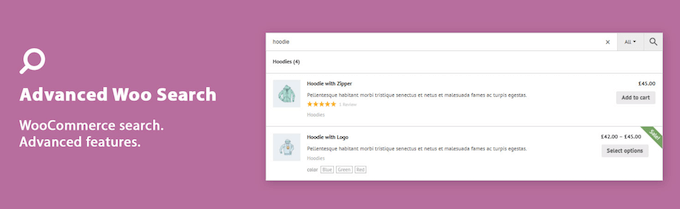
Advanced Woo Search is a powerful and lightweight plugin designed specifically to enhance product search capabilities in WooCommerce stores. Unlike the default WordPress search, this tool is tailored to scan various product data fields such as titles, descriptions, excerpts, categories, tags, IDs, and even SKUs making it much easier for users to find exactly what they’re looking for.
During our hands-on review, we found the plugin’s setup process to be refreshingly simple. Its clean and intuitive settings panel allows you to enable or disable features with just a few clicks, making it user-friendly even for beginners.
One notable feature is its ability to display detailed information within the search results. Users can instantly see product thumbnails, names, and prices, which makes for a more engaging and informative search experience. The plugin also integrates smoothly with your site’s existing design, so there’s no need to worry about layout inconsistencies it blends in perfectly with most WordPress themes.
Another time-saving feature is the automatic syncing of product data. Once activated, the plugin updates its search index automatically as your product catalog changes, so you don’t need to reindex manually after every update. You can easily embed the search form anywhere on your site using shortcodes or widgets, offering flexible placement options across pages and sidebars.
Pros:
- Supports advanced search functions like stop words, synonyms, and plural forms.
- Handles variable products and multiple currencies, making it ideal for global eCommerce.
- Ranks search results based on relevance and content type.
- Extremely easy to configure with minimal setup time.
Cons:
- The free version lacks advanced features such as attribute-based search and custom taxonomy support.
- In some cases, users have reported plugin conflicts, especially with highly customized sites or third-party tools.
5. SearchWP Ajax Live

SearchWP Ajax Live is a handy extension for the SearchWP plugin, designed to bring live search functionality to your WordPress site. Although it’s built to complement SearchWP, it also works seamlessly with any default WordPress search form that uses standard template tags.
During our review, we found that this addon significantly enhances the search experience by displaying results instantly as users begin typing no need to hit enter or reload the page. This instant feedback creates a smoother, faster, and more intuitive interaction for your visitors.
Live Ajax search is especially beneficial for websites offering digital products like online courses, subscriptions, or downloadable content. It helps users quickly locate what they need, which can lead to higher engagement and potentially more conversions.
Once installed and activated, the plugin automatically upgrades all existing search forms to support live Ajax functionality. For those using block-based themes, you can also insert a dedicated search block anywhere on your site, including less common areas like 404 pages or sidebars.
Pros:
- Easy to set up just activate the plugin and it works automatically.
- Adds real-time search suggestions across your entire site.
- Ideal for WooCommerce stores, blogs, and membership platforms.
- Compatible with both the native WordPress search and the full SearchWP plugin.
- Allows placement of search forms in any block-enabled area, including custom templates.
Cons:
- Minimal configuration options, which may be limiting for users looking for deeper customization.
- Requires SearchWP for more advanced search logic, though it still works independently for basic use cases.
6. YITH WooCommerce Ajax Search

YITH WooCommerce Ajax Search is a robust and user-friendly plugin designed to enhance product discovery within WooCommerce-powered stores. It allows customers to search your inventory in real time without page reloads by typing in product names, SKUs, or filtering by category.
We’ve tested various YITH plugins on live WooCommerce websites, and this one stood out for its performance and reliability. It’s well-suited for growing online stores that want to deliver faster and more efficient product search experiences.
What makes this plugin especially useful is its ability to pull data from product excerpts, tags, categories, and even variable products content that standard WordPress search typically overlooks. It also allows you to display thumbnails, product badges, pricing, and active promotions directly in the live search results. This helps customers make quicker, more informed purchase decisions.
YITH WooCommerce Ajax Search is highly flexible when it comes to design. Both the free and premium versions allow for appearance customization, so your search bar can easily match your brand’s style.
Pros:
- Real-time search results for an interactive experience.
- Search by SKU, which is ideal for large or complex product catalogs.
- Supports filtering by category and tag for more refined results.
- Multilingual compatibility for global audiences.
- Highlights active promotions and product details right within the results dropdown a unique and helpful feature.
Cons:
- The free version has limited capabilities and doesn’t support search within tags or categories.
- To unlock more advanced features, including full customization and broader content indexing, the premium version is required.
7. Relevanssi

Relevanssi is a well-regarded WordPress search plugins that enhances the default search experience by delivering more relevant and precise results. Having used this plugin for content-heavy sites, especially blogs, we found it to be a solid option for improving search visibility across various content types.
One of Relevanssi’s standout features is its ability to index and search PDF content, allowing users to locate text within uploaded documents. Beyond that, it also indexes shortcode outputs, custom fields, user profiles, tags, categories, and WooCommerce products making it highly versatile for diverse websites.
The plugin offers features like fuzzy matching, exact phrase searches, and highlighted keywords within results pages, delivering a clear and refined experience for users browsing your content. It’s a powerful example of how free WordPress plugins can significantly enhance functionality without adding extra cost.
Pros:
- Can index comments, user profiles, tags, and custom fields.
- Supports WordPress multisite environments.
- Includes helpful analytics, such as top search terms and queries that return no results.
- Offers Google-like “Did you mean?” suggestions to assist users in refining searches.
- Integrates with popular membership plugins.
Cons:
- Some compatibility issues may arise with certain page builders or media plugins like BuddyPress or NextGen Gallery.
- It can consume a significant amount of database space, making it less suitable for websites hosted on servers with limited storage capacity.
8. Search Exclude

Search Exclude is a straightforward and effective WordPress plugin designed for situations where you need more control over what appears in your site’s search results. If your site includes utility pages such as login pages, checkout forms, or thank-you pages, this plugin lets you remove them from internal search visibility without affecting their presence on search engines like Google.
With a single checkbox, you can easily exclude any post, page, or even WooCommerce product from appearing in WordPress search results. This allows you to keep your search focused on relevant content that actually serves the visitor’s intent.
One of its notable features is bulk editing. If you’re managing a large site with many pages to exclude, this function saves time by letting you apply exclusions to multiple items at once. You can also view a full list of excluded content within the plugin’s settings panel, making it easy to manage at any stage.
Pros:
- Clean, user-friendly interface for hiding content from site search.
- SEO-safe it won’t block pages from Google or other search engines.
- Supports excluding content by author, keyword, or publication date.
Cons:
- It only removes items from internal search, so for advanced search enhancements, you’ll still need another plugin.
- Careless use may result in unintentionally hiding useful content from site visitors.
Which WordPress Search Plugins Should You Choose?
After testing and comparing several tools, SearchWP stands out as the most powerful and flexible WordPress search plugins for most websites. This plugin enhances the default search functionality by indexing all content types, such as custom fields, PDFs, WooCommerce products, and more, that WordPress often ignores. It also allows you to create a custom search algorithm, giving you full control over how results are prioritized. When integrated with a WP Theme Bundle, it ensures both powerful performance and a consistent, user-friendly experience across your site.
With SearchWP, you can create unlimited search forms tailored to different areas of your website whether it’s posts, pages, or widget-ready sections.
While the core plugin doesn’t come with live Ajax search by default, you can enable this feature easily by installing the SearchWP Live Ajax Search addon, which enhances the search experience with real-time results.
If you’re specifically running an online store with WooCommerce, then Relevanssi is an excellent alternative. It searches product titles, descriptions, SKUs, and categories, making it highly effective for e-commerce sites.
For site owners on a tight budget, Ivory Search is a reliable and free way to boost the default WordPress search without adding too much complexity.